AURA Devices Help Center Help Center home page
Community Submit a request
Sign in
  1. AURA Devices Help Center
  2. AURA App

Articles in this section

  • AURA Widget
  • Challenges
  • Achievements
  • Calorie Tracking Charts
  • Body Composition Trend Tracking
  • Help with AURA App Synchronization on Apple Watch
  • Comments
  • Export Measurements Feature
  • Screen Activation on the Apple Watch
  • How to Turn off Workout Write to HK?
See more

How to change the password to your AURA Account

  • April 19, 2022 19:42
  • Updated
Follow
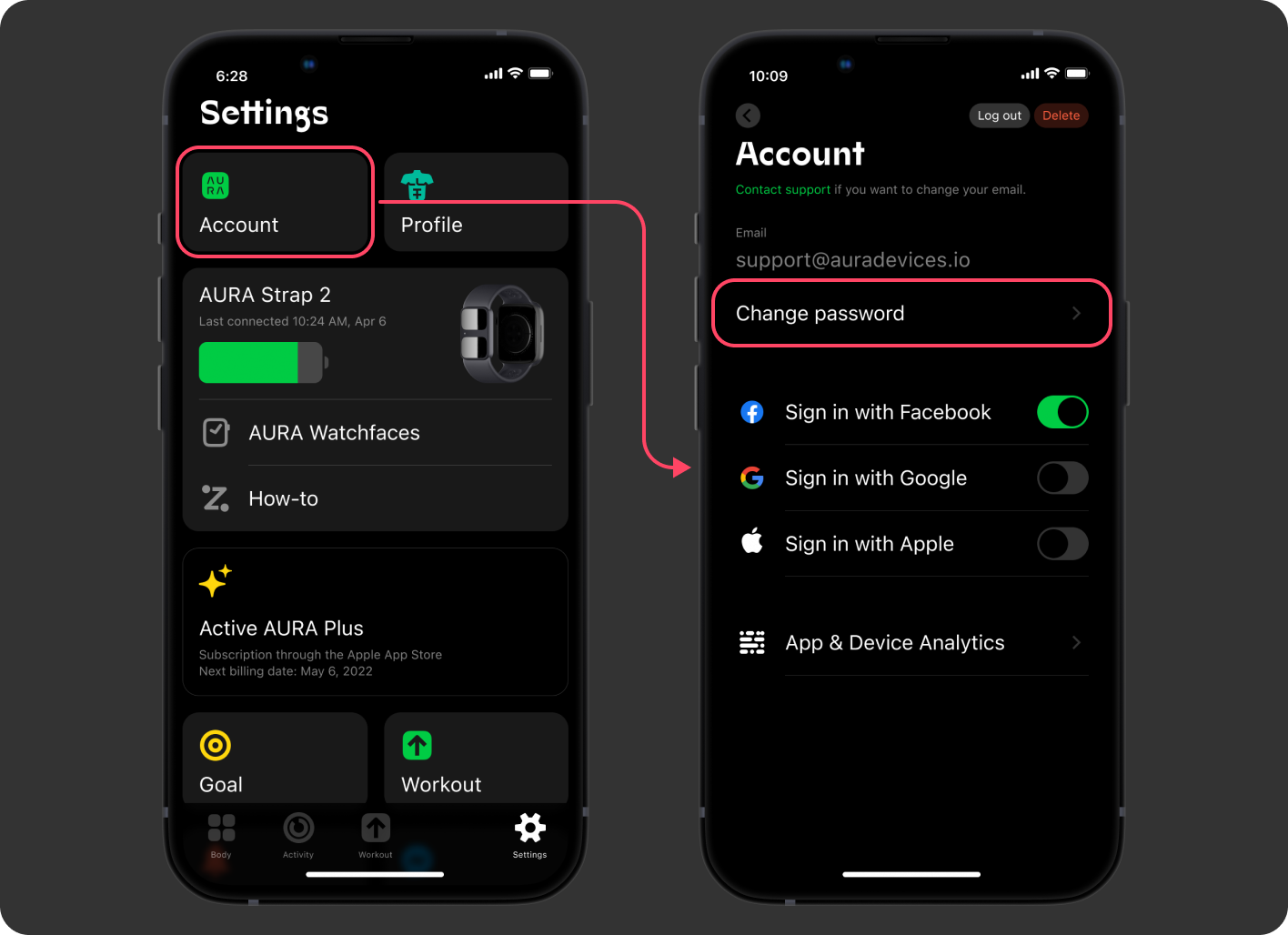
  1. Open the "Settings" tab in your AURA App.
  2. Tap "Account" -> "Change password".
    mceclip0.png
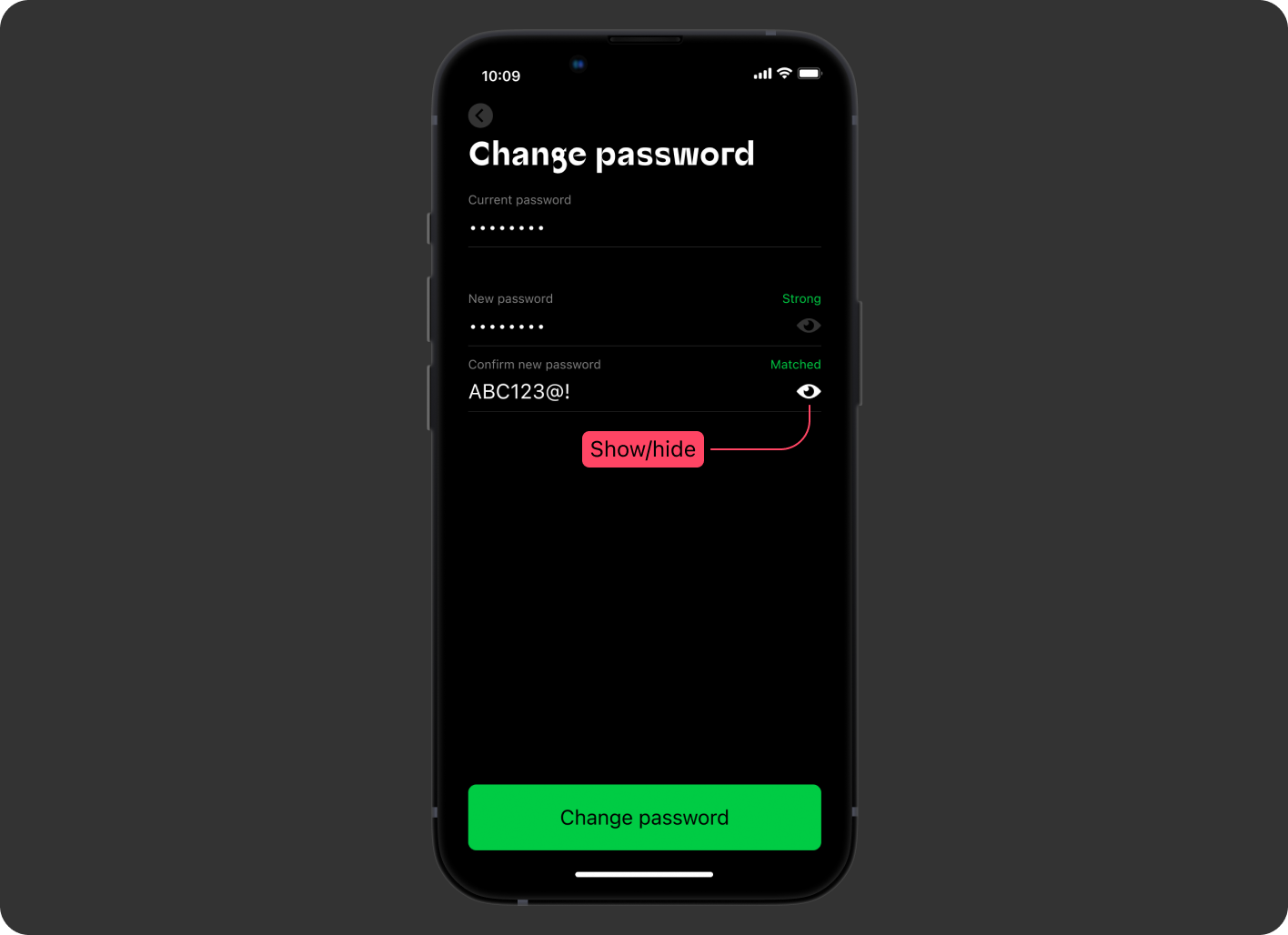
  3. Put your current password and a new password in the fields.
    mceclip1.png
  4. Done! 
Have more questions? Submit a request
Return to top

Related articles

  • Shipping options and Delivery Contacts
  • Contact Us
  • How to Pair and Unpair Your AURA Strap 2?
  • AURA Strap 2 FAQ - Requirements, Hydration, Accuracy, and More
  • How to change the units in AURA App
Products AURA Strap 2 Accessories AURA Plus
Support User Manuals Contacts Limited Warranty
Company Science Blog
Facebook Instagram LinkedIn Twitter Discord
© AURA Devices All rights reserved